
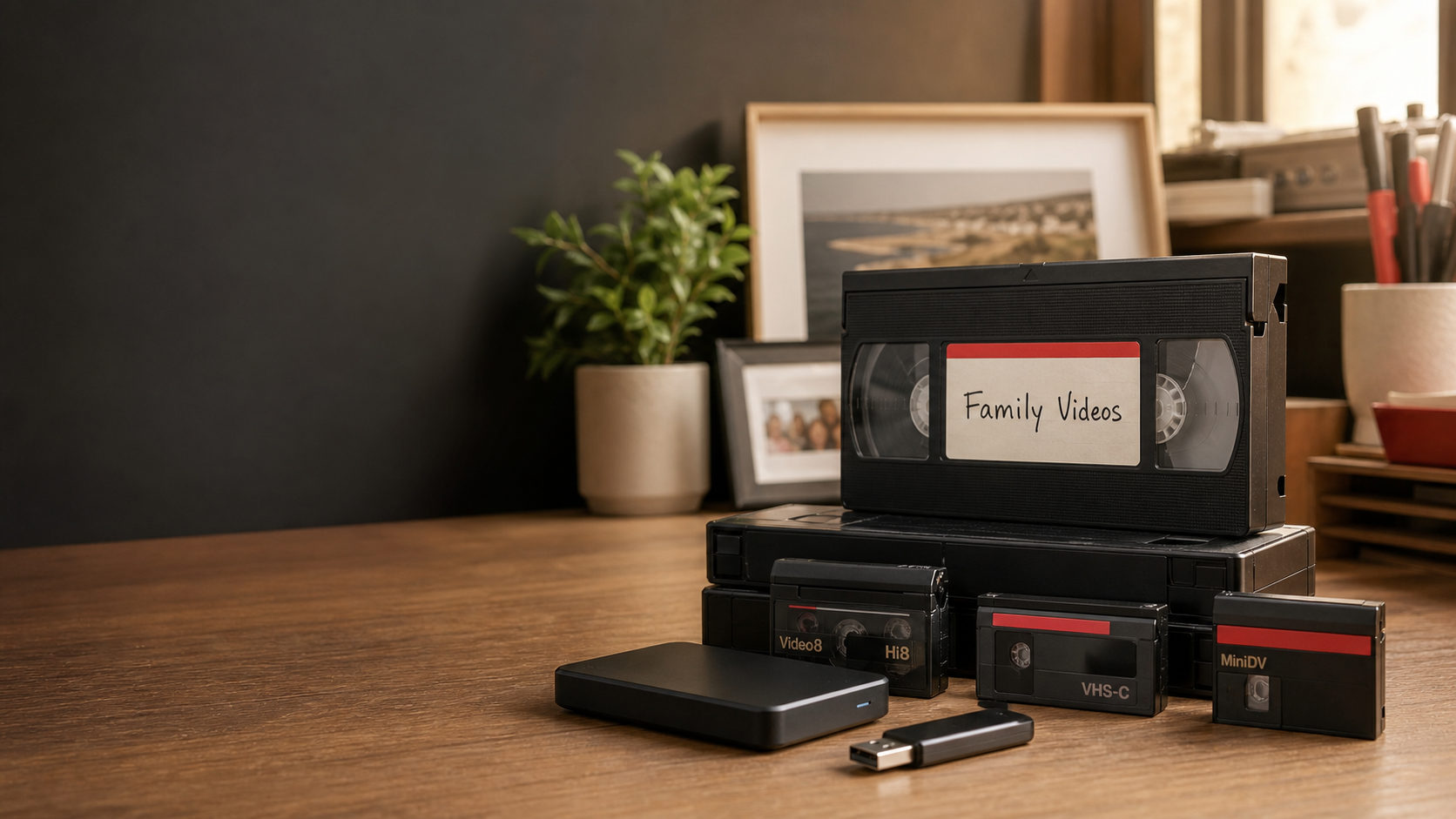
Old videotapes often hold moments that exist nowhere else: childhood birthdays, family holidays, school concerts, weddings and relatives whose voices you may not have heard in years. The problem is that VHS and camcorder tapes were never designed to last forever.
If your recordings are still sitting in a cupboard, converting them to a modern digital format can make them easier to watch, copy, share and preserve. Pixels Plus offers professional video transfer services from its Crows Nest store for customers across Sydney and the Lower North Shore.
Why old videotapes should be digitised
Videotape uses a magnetic coating to store its picture and sound. Age, repeated playback, heat, humidity, dust and poor storage can all affect that coating and the tape mechanism itself. Old tapes may gradually develop colour shifts, picture noise, unstable playback or brittle sections.
Working players are also becoming harder to find. Even a tape in reasonable condition is not much use if you no longer own a compatible VHS deck or camcorder.
Digitising your tapes gives you a practical viewing copy and makes it easier to create backups. It does not change the historical value of the original, so it is sensible to keep your tapes after conversion as well.
Which video formats can Pixels Plus transfer?
Pixels Plus accepts a broad range of domestic and professional formats, including:
- VHS and VHS-C
- Video8, Hi8 and Digital8
- MiniDV and HD MiniDV
- Betamax
- DV Cam
- Beta Cam SP
- U-Matic
Pixels Plus can also transfer Standard 8, Super 8 and 16mm movie film. These are film-reel formats rather than videotapes and follow a different conversion process.
Not sure what you have? Bring the tape, cassette, or reel to the Crows Nest store, and the team can help identify it before the job begins.
DVD or digital files: which should you choose?
The best output depends on how you want to watch and store your recordings.
Digital files
Digital files stored on a USB drive or hard drive are usually the most flexible choice. They can be copied to another drive, viewed on compatible computers and televisions, shared with family, and added to a properly backed-up digital archive.
DVD
DVD can still be convenient for relatives who use a DVD player. Pixels Plus DVDs include chapter points and chapter menus to make longer recordings easier to navigate.
For long-term preservation, avoid relying on a single USB drive, hard drive or disc. Keep at least two copies in different locations and check them periodically.
How to prepare tapes for conversion
You do not need to play every tape before bringing it in. In fact, repeatedly testing an old or damaged tape can put it under unnecessary strain.
Instead:
- Gather the tapes and keep each one in its case where possible.
- Label each tape with a simple number or description.
- Note any known problems, such as a broken shell, snapped tape or previous playback issue.
- Decide whether you want DVD copies, digital files, or both.
- Make a list of any dates, names, or events you would like included in the file labels.
Do not attempt to clean mouldy, dirty or damaged tape with household products. A suspect tape should be assessed before it is placed into playback equipment. Pixels Plus visually checks tapes and can advise if repair or cleaning is required.
What happens during a professional video transfer?
Each job is recorded with a unique identification number. The original recording is played through compatible equipment and converted to the requested output. Completed discs are checked for playback, and all original tapes are returned with the order.
The final picture and sound depend on the source recording. Conversion can preserve what remains on the tape, but it cannot recreate detail that was never recorded or fully repair every fault in a deteriorated original.
How long does video conversion take?
Video transfer is not normally an instant service. The current Pixels Plus service page advises allowing at least two weeks, with many orders processed within approximately two to four weeks. Larger orders, unusual formats, repairs, or jobs combining video with film, slides or photos may take longer.
Ask for the current turnaround estimate when placing your order, particularly if you need the recordings for a birthday, anniversary, memorial or family event.
Protect the new digital copies.
Once your tapes have been converted, treat the files as an archive rather than leaving them on one device.
A simple approach is the 3-2-1 backup principle:
- Keep three copies of important files.
- Store them on at least two different types of storage.
- Keep one copy in another location or a reputable cloud service.
Use clear folder names, such as 1998 – Family Christmas, and add names or dates so relatives can still identify the people and events. A short notes document stored with the videos can preserve valuable family context.
Frequently asked questions
Do I get my original videotapes back?
Yes. Pixels Plus returns the original tapes with the completed order.
Can PAL and NTSC tapes be transferred?
Yes. The Pixels Plus service page states that both PAL and NTSC formats can be transferred without an extra format charge.
Can a broken videotape be repaired?
Some broken or snapped tapes may be repairable for an additional charge. The tape needs to be inspected before transfer.
Can commercially released movies or recorded television programs be copied?
Copyright-protected material cannot be transferred without the copyright owner’s permission. Professionally produced wedding videos may also require written permission from the videographer.
Can poor-quality footage be made clear again?
The conversion preserves the available recording, but the condition and quality of the original tape limit the result. Severe noise, damage or missing detail cannot always be corrected.
Convert your old videotapes before they deteriorate further
If family recordings are still waiting in a cupboard, now is a good time to identify and preserve them. Pixels Plus has operated in Crows Nest since 1990 and can help with VHS, camcorder tapes and a range of older video formats.
View the Pixels Plus video transfer service, visit 45 Willoughby Road, Crows Nest NSW 2065, or call (02) 9437 4247 to discuss your tapes and the most suitable output.