
Loading your first roll of 35mm film can feel a little intimidating. The good news is that the process is simple once you know what to look for—and one quick check can help prevent the disappointment of receiving a completely blank roll.
This guide explains how to load a traditional, manually wound 35mm SLR or rangefinder. We have also included separate instructions for automatic compact cameras, because their loading systems work differently.
Important: Camera designs vary. Treat these instructions as a general guide and check your camera’s manual before loading it. Never force a lever, rewind crank or camera back.
Watch: How to Load 35mm Film
This short Pixels Plus guide uses real camera footage to show the complete process—from opening the camera and inserting the cartridge to checking the film, closing the back and advancing to frame 1.

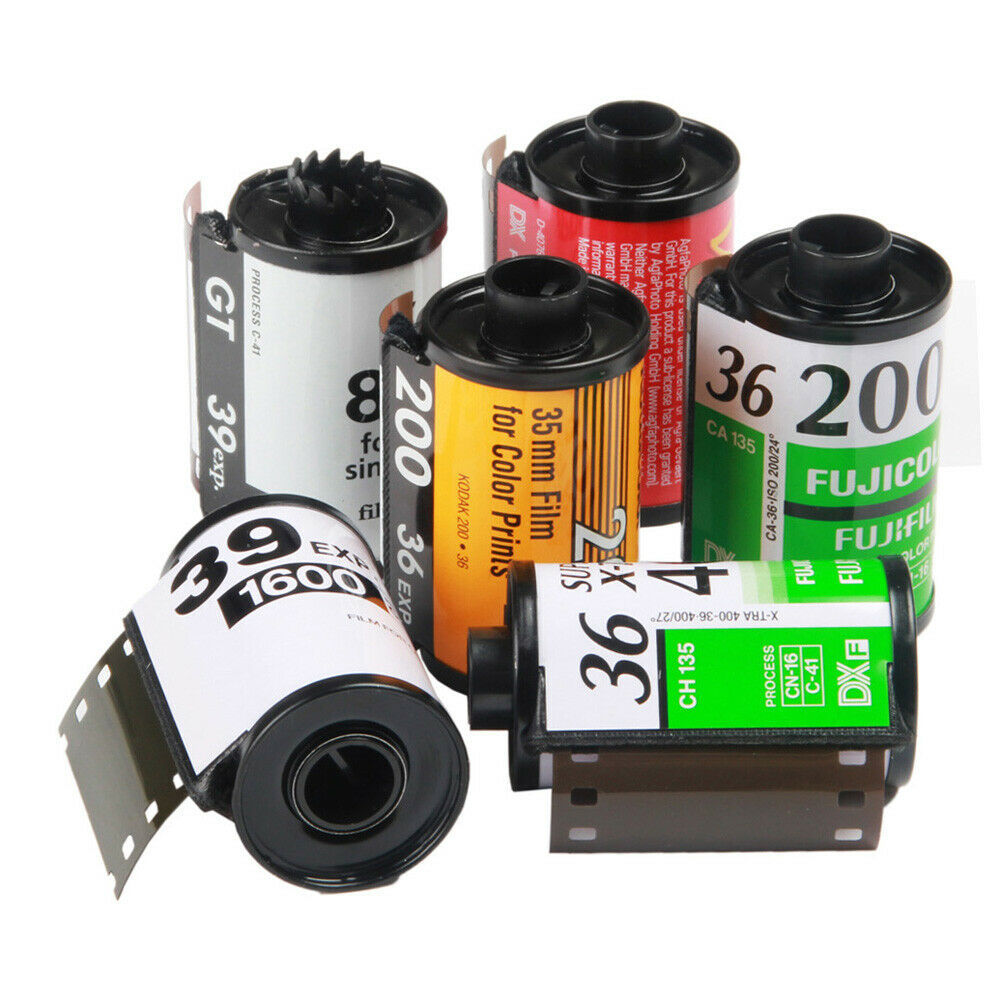
A 35mm film cartridge and leader. The perforations along the edges allow the camera to move the film one frame at a time.
Before You Start
You will need:
- A roll of 35mm film
- A compatible 35mm camera
- Clean, dry hands
- A shaded indoor area or somewhere away from strong direct sunlight
- Your camera manual, if available
Normal room light is fine because the unexposed film is protected inside its light-tight cartridge. Avoid loading in direct sun, and do not pull out more film than you need.
If you are choosing your first roll, see our guide to the best 35mm film for beginners, or browse 35mm film available from Pixels Plus.
First, Identify Your Camera Type
Manual-wind camera
A manual camera normally has a film advance lever on the top-right and a rewind crank or knob on the top-left. You attach the leader to a take-up spool, close the back, then advance the film to frame 1.
Automatic compact camera
An automatic compact usually has a motorised film transport. You place the cartridge in the chamber, pull the leader to a loading mark, close the back and allow the camera to load the film automatically.
Do not try to copy the manual-camera procedure inside an automatic compact. Follow the loading mark and the instructions for that particular model.
How to Load a Manually Wound 35mm Camera
Step 1: Open the Camera Back
Make sure there is not already a film inside the camera.
On many manual SLRs, gently pulling up the rewind knob releases the camera back. Other cameras use a latch on the side or base. Hold the camera securely and open the back without touching anything inside.
The thin shutter curtains behind the rectangular film gate are delicate. Do not press, wipe or poke them.
Step 2: Insert the Film Cartridge
Place the cartridge into the film chamber. On most conventional manual cameras viewed from the open back, the cartridge chamber is on the left.
You may need to keep the rewind knob raised while inserting the cartridge. Once it is seated, gently lower the rewind knob so its shaft engages with the cartridge spool.
Step 3: Pull the Leader Across
Hold the cartridge in place and gently pull the film leader across the back of the camera towards the take-up spool.
Pull out only enough film to reach the spool. Too much loose film can make loading difficult and wastes part of the roll.
The film should lie flat across the film rails. Keep your fingers away from the shutter curtains and avoid touching the central image area of the film.

The complete film path: cartridge on the left, film lying flat across the camera, and take-up spool on the right.
Step 4: Attach the Leader to the Take-Up Spool
Insert the end of the leader into the slot on the take-up spool, following the direction shown in your camera manual.
Some cameras have a simple slot. Others use several slots, hooks, teeth or a quick-load mechanism. The leader must be held securely enough that it will not slip free when the film advances.
Gently operate the advance lever once, if your camera allows this with the back open. You may need to press the shutter before advancing again. Watch the spool and confirm that the leader wraps around it rather than sliding out.
Step 5: Check the Film Is Flat and Engaged
Before closing the back, check three things:
- The cartridge is seated firmly in its chamber.
- The leader is securely attached to the take-up spool.
- The film lies reasonably flat, with the perforations positioned over the transport sprockets where required by the camera.
A small amount of slack is normal, but the film should not be twisted, sharply bent or hanging outside the camera.
Step 6: Close the Back
Close the camera back firmly until it clicks. Do not slam it.
Once the back is closed, do not open it again until the roll has been completely rewound. Opening the camera in daylight can fog or destroy the exposed photographs and the unprotected portion of the roll.
Step 7: Advance to Frame 1
Operate the film advance lever and press the shutter as required until the frame counter reaches 1. The first section of film was exposed to light during loading, so the camera must move past it before your first photograph.
Do not force the advance lever. If it stops unexpectedly, check your camera manual before applying more pressure.
Step 8: Confirm the Film Is Really Advancing
This is the most valuable check in the entire process.
As you operate the advance lever, watch the rewind knob. On most manually wound cameras, it should rotate as film is pulled out of the cartridge.
If the rewind knob turns, the film is usually advancing correctly. If it remains completely still after advancing several times, the leader may have slipped off the take-up spool.
Some cartridges contain a little slack, so the knob may not rotate immediately. You can gently take up that slack using the rewind crank in the direction indicated by the camera—without pressing the rewind-release button—then advance again and watch for movement. Stop as soon as you feel light resistance. Never force it.
Loading an Automatic 35mm Compact Camera
Automatic cameras are generally easier, but the film must be positioned correctly before the back is closed.
- Switch the camera off if its manual instructs you to do so.
- Open the camera back using its release latch.
- Place the 35mm cartridge in the film chamber.
- Pull the leader across only as far as the camera’s loading mark.
- Make sure the film is lying flat and is not caught outside the camera.
- Close the back securely.
- Switch the camera on or lightly press the shutter button if required.
- Listen for the motor and check the display or frame counter.
Many automatic cameras display frame 1 when loading is successful. A flashing symbol, an “E”, a zero or repeated motor noise can indicate that the film did not catch. Consult the manual before reopening the back.
Common 35mm Film-Loading Mistakes
The leader did not catch
The camera may appear to operate normally even though the film is not moving. On a manual camera, check whether the rewind knob turns during film advance.
Too much film was pulled from the cartridge
Excess film creates slack and can prevent the back from closing neatly. Pull out only enough leader to reach the spool or loading mark.
The film was loaded in direct sunlight
Bright sun can fog more of the leader and first frames. Load indoors or in open shade.
The shutter curtains were touched
Shutter curtains are not film guides. Keep fingers, film edges and cleaning cloths away from them.
The advance lever was forced
Resistance can mean the shutter must be released, the film is at the end of the roll or something is incorrectly loaded. Stop and investigate rather than forcing the mechanism.
The camera back was reopened
If you realise the film may not be advancing, do not immediately open the camera in daylight. Move into complete darkness or use a proper changing bag if the roll contains photographs you want to protect.
How Do You Know the Film Is Loaded Correctly?
For a manual camera, look for:
- The rewind knob rotating as you advance
- A steadily increasing frame counter
- Normal, consistent resistance from the advance lever
- No scraping, tearing or unusual noises
For an automatic camera, look for:
- The motor completing its loading cycle
- Frame 1 appearing on the display or counter
- No error symbol
- Normal film-advance sound after each photograph
Frequently Asked Questions
Can I load 35mm film in daylight?
Yes. The cartridge protects the unexposed film, and normal room light or open shade is suitable. Avoid strong direct sunlight and pull out only the leader needed for loading.
Why are the first frames sometimes blank or partly exposed?
The leader is exposed to light while you load the camera. Advancing to frame 1 moves this exposed section past the film gate.
What if the rewind knob does not turn?
There may be slack inside the cartridge, or the leader may not have caught. Gently take up slack as described in your camera manual and test again. If the knob still does not move, the safest solution is to check the film in complete darkness or a changing bag.
Can I open the camera after loading?
Not in normal light. Once film has been advanced, opening the back can fog the exposed frames and the unprotected film.
When should I remove the film?
Rewind the entire roll into its cartridge before opening the back. Manual cameras usually require you to press a rewind-release button first. Automatic cameras normally rewind by themselves at the end of the roll.
Ready to Shoot?
Once the film is loaded and advancing correctly, you are ready to start making photographs. Take your time with the first roll and remember that the rewind-knob check can save an entire set of memories.
When the roll is finished, Pixels Plus can process colour and black-and-white film and provide high-quality scans. Learn more about our film processing services or visit us in Crows Nest, Sydney.